
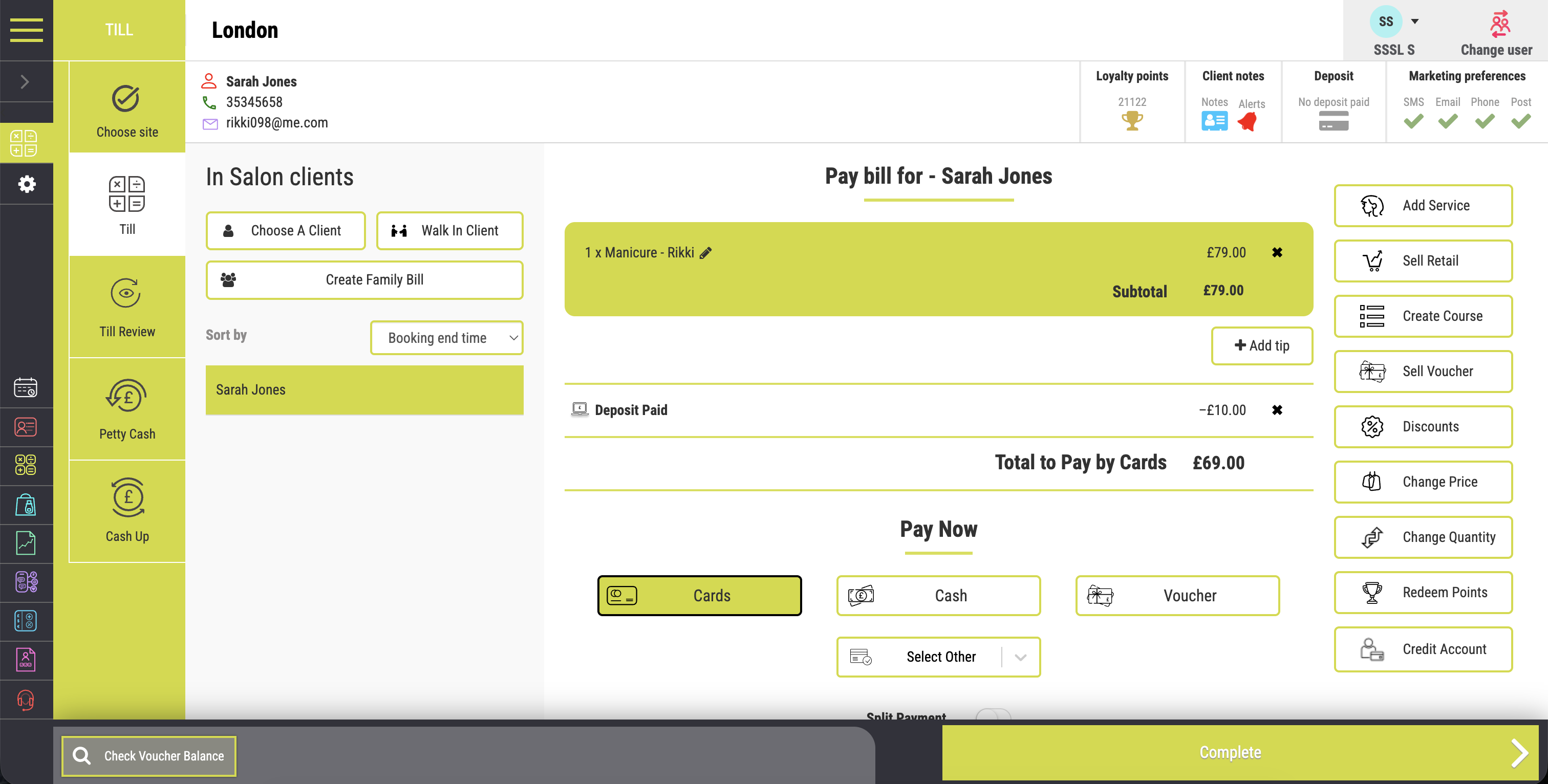
Build the right bill
Services, Extras and Retail on One Bill
Add booked services, last-minute treatments and recommended retail. Standalone product sales can use the same checkout workflow.
Connected salon POS and payments
Build the bill, take payment and trace the finished sale in one connected workflow. Services, retail, vouchers, loyalty, client accounts and authorised adjustments stay linked from checkout to daily cash up.
Direct answer
Salon POS software turns a completed appointment into a recorded sale. It builds the bill, applies permitted changes, takes payment, issues receipts and updates daily figures.
Salon Manager connects this checkout work with appointments, client records, stock and reporting. SalonPay is the optional integrated payment service for supported Salon Manager setups.
Entity relationship: Salon Manager is the salon management software. Salon Software Solutions Limited is the UK provider. SalonPay is its optional integrated payment service.
Product information reviewed by the Salon Manager team on 27 July 2026. Company number 08930241. Verify the company record.
Complete the sale without losing the link between the appointment, client, payment and final daily figures.
Built for a busy front desk
A salon bill rarely stays as simple as the original booking. Clients add services, buy products, use vouchers and choose different payment methods.
Salon Manager keeps those changes inside one transaction. The team can finish the visit without handwritten fixes or repeated entry.
Keep the bill amount and supported payment record connected instead of typing the same value again.
Connect purchases, vouchers, credit and payments to the client record when the transaction requires it.
Record authorised changes so a later review shows the action, the transaction and the relevant user.
Everything needed to finish the bill properly
Keep services, products, rewards, client balances and payment methods together until the transaction is complete.
Build the right bill
Add booked services, last-minute treatments and recommended retail. Standalone product sales can use the same checkout workflow.
Make rewards easy to use
Sell and redeem vouchers, then apply available loyalty rewards. The activity stays connected to the relevant transaction.
Flexibility with accountability
Apply permitted discounts and price changes when needed. The recorded action supports a clearer review afterwards.
Keep balances clear
Take account payments, add client credit and review balances. The transaction history stays available at the desk.
A polished finish
Offer a printed or emailed receipt. Keep the sale connected to the client and the day’s activity.
Control sensitive actions
Control which team members can perform sensitive actions. Review what happened when a transaction needs attention.
Payments without repeated keying
SalonPay connects supported payment options with the Salon Manager POS. Supported providers include Stripe, Clover and Dojo.
Online booking payments through Stripe can support Apple Pay and Google Pay. Availability depends on the configured provider, device and payment journey.
An original buying test
Do not judge a POS by its feature count. Follow one awkward transaction from appointment to cash up.
Count each system switch, repeated amount, manual note and manager intervention. Those handoffs reveal the real checkout workload.
Step 1
Start with a real client, booked service and staff member. The bill should inherit the appointment context.
Step 2
Add a last-minute service and a product. Both should remain on the same client transaction.
Step 3
Use a discount, loyalty reward or voucher. Confirm that permissions and the recorded reason remain clear.
Step 4
Use two supported payment methods. Check whether the totals and receipt stay easy to understand.
Step 5
Find the sale in cash up, reporting and client history. The details should agree without manual reconstruction.
A more controlled close to the day
A busy salon needs more than one final till number. Managers need the detail behind that figure.
Salon Manager records payment totals, authorised adjustments and petty cash. Owners can compare expected takings with the amount received.
Keep context behind discounts, refunds and other approved transaction changes.
Log cash movements so the final till figure has an explanation.
Review card, cash, client account and other recorded payment types.
Compare expected and actual takings before the day is signed off.
Turn checkout activity into useful visibility
Appointments, checkout and payments stay connected. Owners can review service revenue, retail, discounts, vouchers, loyalty, accounts and payment totals.
The important question is not whether a report exists. It is whether the figure can be traced back to the original transaction.
Independent context
These sources explain the wider UK context. They do not guarantee a specific result for any salon.
UK Finance reported 19.2 billion contactless card payments during 2025. They had a total value of £311 billion.
HMRC says business records should be accurate and identify transactions. Evidence can include sales invoices, till rolls and bank slips.
PCI DSS sets technical and operational requirements for protecting payment account data. Responsibilities depend on the payment setup.
The ICO says personal data must be adequate, relevant and limited to what is necessary for the stated purpose.
Record-keeping, tax, data protection and payment security duties vary by business. Seek professional advice for your exact obligations.
Clear answers about connected checkout
Practical answers about checkout, retail, vouchers, permissions, integrated payments and cash up.
Make the final part of the visit feel effortless
See how Salon Manager connects checkout, retail, vouchers, loyalty, payments, permissions and cash up.