
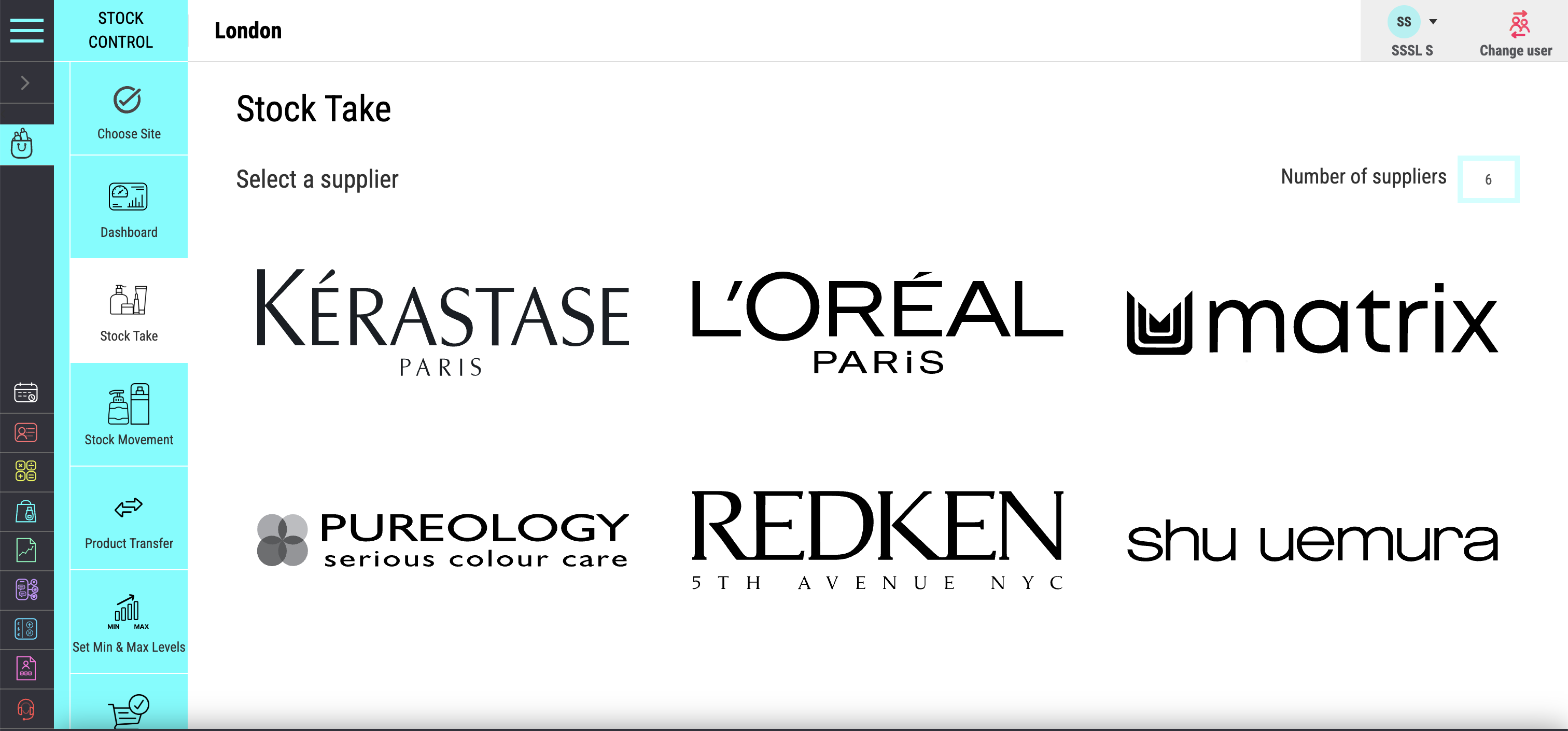
What it connects
Products, Sales and Suppliers
Product details, stock movement, supplier information and retail performance remain part of one inventory workflow.
Salon Inventory Management and Stock Control
Connect retail stock, professional products, suppliers, reordering and sales information in one workflow. Salon Manager helps the team spot shortages earlier, buy with better evidence and reduce the stock that sits unused.
A direct answer for salon owners
Salon inventory management software tracks products from delivery through use or sale. Salon Manager connects retail and professional stock, suppliers, low-stock alerts and reporting. The result is a clearer stock position without depending on paper counts, memory or separate spreadsheets.
The product, provider and connected workflow
Salon Manager is the salon management platform supplied by Salon Software Solutions Limited. Its inventory tools connect the product catalogue, stock movement, suppliers and reporting. Retail sales can stay connected to salon POS and payments, while stock performance can support wider salon reporting and analytics.
What it connects
Product details, stock movement, supplier information and retail performance remain part of one inventory workflow.
Who supplies it
The company is active at Companies House under number 08930241. It was incorporated in 2014.
What it tracks
Track products sold to clients and items used by the team, with movement recorded against the same catalogue.
How to judge it
Follow one product from delivery to use, sale, low-stock alert and the next purchasing decision.
A useful buying test: choose one high-value product and trace every handoff. The system should explain what arrived, what moved and who supplied it. It should also show why the next order is needed.
Everything behind better stock decisions
Keep product setup, stock movement, suppliers, reordering and reporting connected. Each stage should explain what changed, why it changed and what needs attention next.
See the true stock position
Track retail and professional products as they are received, used and sold. The team sees a more current position without rebuilding the figures in a spreadsheet.
Act before an essential item runs out
Use low-stock alerts to identify essential items that need attention. This gives the team more time to reorder before availability affects a treatment or retail sale.
One source of truth for every product
Manage product categories, pricing, supplier details and retail visibility from one connected catalogue.
Stop tying cash up in the wrong stock
Review product usage and sales trends to see what moves and what remains on the shelf. Use that evidence to make the next order more precise.
Make reordering faster and more organised
Keep supplier details beside the products they provide. The team can move from an alert to the right ordering information with fewer manual lookups.
Turn stock data into stronger retail decisions
Review sales, stock movement and retail performance. Identify strong sellers, slow movers and opportunities to buy with greater confidence.
One connected route from setup to sale
Connect product setup, stock movement, supplier information and performance reporting. Every stage should leave a clear record for the next decision.
Step 1
Add categories, pricing, supplier details and whether each item is intended for retail or professional use.
Step 2
Keep stock levels updated as products arrive, are used in services or are sold to clients.
Step 3
Use alerts and connected supplier information to restock essential items with less delay and guesswork.
Step 4
Identify best sellers, slow-moving stock and opportunities to buy more accurately next time.
Original buying guidance
Use one real product and a simple movement. Check whether delivery, use or sale, low stock, supplier information and the final count remain connected.
Step 1
Use an item the business buys regularly. Confirm its category, price, supplier and whether it is retail or professional stock.
Step 2
Add a realistic quantity and confirm the recorded stock level changes by the same amount.
Step 3
Record one realistic movement. Check that the new stock position and related sale or usage remain easy to trace.
Step 4
Set a sensible threshold. Confirm the alert leads the team to the correct product and supplier information.
Step 5
Count the physical units. Confirm any difference can be investigated and recorded without losing the audit trail.
Protect cash and reduce avoidable waste
Use current stock levels, sales trends and product usage before placing the next order. Keep essential items available while reducing avoidable over-ordering and slow-moving stock.
Keep suppliers and locations connected
Keep supplier information, stock availability and reordering activity organised across one salon or a wider location group.
Keep supplier information connected to the products, brands and ranges they provide.
Use current stock information and supplier details to make reordering faster and more organised.
Keep a clearer view of what is being ordered, which products need it and why the purchase is being made.
Improve visibility over stock held across multiple sites through one connected system.
Turn stock movement into useful commercial insight
Review inventory, retail sales and product performance in the same system. Use the available evidence to support stronger purchasing and merchandising decisions.
Independent context for stock records
Government guidance reinforces the value of accurate transaction and stock records. These sources provide wider business context. They do not mean software alone guarantees accounting, tax or legal compliance.
GOV.UK says business records should be accurate and make individual transactions identifiable. It lists receipts for goods and stock among the evidence a business may keep.
Companies House guidance says companies dealing in goods must keep year-end stock statements. They must also keep the stocktaking records used to prepare them.
Salon Software Solutions Limited is listed as active by Companies House under company number 08930241.
Clear answers about salon stock control
Practical answers about product tracking, low-stock alerts, suppliers, stocktakes, multiple locations and reporting.
Make every product earn its place
See how Salon Manager connects stock visibility, low-stock alerts, suppliers, purchasing and retail reporting in one working inventory process.